
Krooz TV Free Trial: Official Test, Signup and Getting Started
If you are searching for krooz tv free trial, the safest way to begin is to use the official KroozTV.net trial page and follow the correct account steps from there. Most people looking for a trial are not trying to read a long sales page. They want to test the service, understand how signup works, see where support is, and move quickly from trial access to device setup.
This page is built for exactly that. It brings together the official free trial, account signup, login, support, subscription, and installation links in one clear place so you can start the right way.
The official trial page is here: Krooz TV Free Trial.
Start from the official trial page
The easiest way to avoid confusion is to begin from the official site and move through the proper trial flow from there. That gives you a cleaner path for account creation, support, login, subscription, and setup.
- Official homepage
- Official free trial page
- Create an account
- Client login
- Reset your password
- Support page
- Subscription page
- Installation tutorial
That route makes the whole process easier because it keeps trial, account access, and setup connected in one clear path.
What a free trial is really for
Most users searching for a Krooz TV free trial want to check the service before paying for a longer plan. They want to see how the service feels on their device, whether the setup process is clear, and whether the account flow makes sense for them.
A trial is useful because it helps people answer basic questions before they commit:
- can I create and access my account correctly?
- does the service work well on my preferred device?
- is setup simple enough for me to manage?
- do I know where support is if I need help?
- am I ready to continue to a paid subscription?
That is why the free-trial page matters so much. It is the bridge between curiosity and a real customer journey.
How to get started the right way
If you are new, the cleanest route is simple. Start at the official site, create an account if needed, use the free trial, and then move into login, support, or subscription depending on what you need next.
- Visit the homepage
- Open the free trial page
- Create your account on the registration page if needed
- Use the client login when you need account access
- Move to the subscription page if you are ready to continue
- Open the installation tutorial for setup help
This is much easier than jumping between random pages and trying to guess the correct order.
Account signup and login come next
For many users, the trial process is closely connected to account access. Some people already have an account. Others need to register first. Some will later need the password reset page. That is why the trial experience should always be connected to the official billing area.
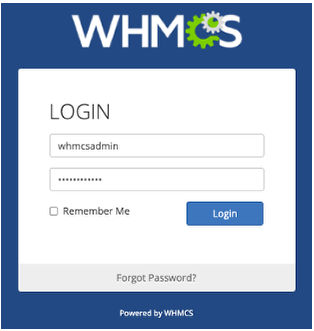
If you need to create an account, use the registration page. If you already have one, use the client login. If access becomes a problem later, the password reset page is the right next step.
This keeps the Krooz TV free trial process connected to the official account system instead of leaving users stuck in the wrong place.
Trial first, subscription after
One of the most useful things about a free trial is that it gives users a chance to test the service before paying for a longer plan. If the trial experience feels right, the next step is simple: move to the official subscription page and choose the plan that fits you best.
The official subscription page is here: Krooz TV Subscription.
This creates a clear customer path: trial first, subscription after, and support available throughout the process if you need help.
Support is part of the trial journey too
Some users searching for a trial are not only asking whether they can test the service. They also want to know where to get help if something is unclear. That is why the official support page matters even during the free-trial stage.
The current support page clearly says that KroozTV.net is the only official Krooz TV website for trusted subscriptions, customer support, account help, and service updates. It also warns users about copycat sites, fake resellers, and unauthorized pages. That makes support and brand safety part of the same journey.
If you need help during the trial process, use the official support page.
Testing on your device matters
A free trial is most useful when you actually test it on the device you plan to use later. For many users, that means Firestick, Smart TV, Android TV, Formuler, Roku, MAG devices, or other common streaming setups.
The official installation tutorial is here: installation tutorial. That page already leads to device-specific guides for a range of setups, including Firestick and Smart TVs.
This is why the trial stage matters. It lets you move from simple interest to real testing on your own device before deciding what to do next.
Simple habits that make the process easier
If you want fewer problems during the trial process, keep these basics in mind:
- use the official KroozTV.net domain only
- create the account through the official registration path
- keep the correct email address ready for login
- use the password reset page if access becomes a problem
- use support if the issue is not solved by account recovery
- test on the device you actually plan to use later
Useful external resources for account safety and scam awareness include:
These help users protect the account side of the trial process, not just the viewing side.
How the full path fits together
A strong free-trial page should not exist on its own. It should connect naturally to the rest of the official site. The cleanest path looks like this:
- start at the homepage
- use the free trial page
- create an account on the registration page
- sign in through the client area
- recover access through the password reset page
- use the support page if you need help
- continue to the subscription page if the test goes well
- finish setup through the installation tutorial
That is what makes a trial useful. It helps users move to the right next step instead of feeling stuck after the first click.
Questions people ask most
Where is the official Krooz TV free trial page?
The official free trial page is here.
Do I need an account first?
If you do not already have one, create an account on the registration page before or during the trial process.
Can I sign in after creating the account?
Yes. Use the official client login page to access your account.
What if I forget my password?
Use the official password reset page.
Where can I get help during the trial?
Use the official support page for direct help.
What happens after the free trial?
If the trial goes well, continue to the official subscription page and choose the plan that fits you best.
Image credits
- Streaming device image: Wikimedia Commons, AmazonFireTV.jpg
- Login image: Wikimedia Commons, Login Screen.PNG
- Android TV image: Wikimedia Commons, Android TV-based Tracer set top box.jpg
Final answer
If you are looking for krooz tv free trial, use the official trial page, the official registration and login pages, the official support page, and the official installation tutorial on KroozTV.net. Start with the real trial route, then move to account access, setup, or subscription depending on what you need next.
Note: trial availability, account steps, and setup paths may change over time. Always use the official KroozTV.net pages for the most current information.
The official Krooz TV free trial page is on KroozTV.net. Use the official free trial page to begin the correct test and signup flow.
If you do not already have one, create an account on the official registration page before or during the free-trial process.
Yes. Use the official client login page on KroozTV.net to access your account after registration.
Use the official password reset page on KroozTV.net to recover account access safely.
Use the official support page on KroozTV.net for account help, service questions, and free-trial assistance.
If the test goes well, continue to the official subscription page on KroozTV.net and choose the plan that fits you best.