
Krooz TV Login: Official Sign In, Reset Password and Account Help
If you are searching for krooz tv login, the safest thing to do is use the official KroozTV.net client area and start from the real login page. Most users searching this term do not want a long article. They want the correct sign-in page, the right password reset link, a clear path to support, and a simple way to manage their account without wasting time.
This page is built for exactly that. It brings together the official login, registration, password recovery, support, free trial, subscription, and installation links in one clean place.
The official client login is here: Krooz TV Login.
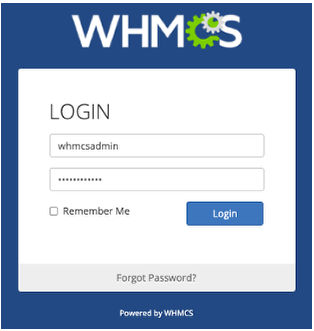
Start from the official client area
The easiest way to avoid confusion is to begin from the official site and move into the client area from there. That gives you a clean route for sign in, billing, support, and account management.
- Official homepage
- Official login page
- Create an account
- Reset your password
- Support page
- Free trial page
- Subscription page
- Installation tutorial
Following that path keeps everything simple. You do not need to guess where to go next.
What this page helps you do
Most people who search for Krooz TV login are trying to do one of a few things. They want to sign in, recover a password, create an account, check billing, open support, or continue to setup after their account is active.
This page is designed to make those actions easier:
- sign in to the official client area
- reset a lost password
- register a new account
- open support if account access fails
- start a free trial before paying
- move from account access to installation help
If your goal is just sign-in, go directly to the official client area.
How sign-in works
The process is straightforward. Open the official login page, enter the email address connected to your account, enter your password, and sign in. After that, you can manage the parts of the account you need.
For most users, the client area is where they handle:
- account access
- billing and service details
- support and tickets
- password recovery
- general client-area management
That is why using the official Krooz TV login page matters. It is the entry point to the account side of the service.
If you forgot your password
Sometimes the real issue is not finding the login page. It is getting back into the account after forgetting the password. In that case, the official reset page is the correct next step.
Use this page for password recovery:
Enter the email address linked to your account and follow the reset instructions from there. It is much better to use the official recovery flow than to keep guessing passwords or depend on random instructions copied from somewhere else.
New users should register first
Some people search for Krooz TV login before they even have an account. In that situation, the first step is registration, not sign-in.
If you are new, use the official account registration page first. After that, you can move to the free trial or subscription flow and then come back to the client area whenever you need account access.
The simplest path for new users looks like this:
- Visit the homepage
- Create an account on the registration page
- Open the free trial page if you want to test first
- Go to the subscription page if you are ready to continue
- Return to the login page whenever you need account access
What comes after login
Once you enter the client area, most users move in one of three directions. They manage the account, request support, or continue to installation and device setup.
If you need installation help, the live installation tutorial is the best starting point. If you need direct help, the support page is the right place. If you want to review service options, the subscription page gives you that next step.
That is why Krooz TV login is not just a sign-in action. It is the start of the whole account journey.
Simple habits that protect your account
Good login habits save time and reduce avoidable problems. If you want fewer account issues, keep these basics in mind:
- always use the official KroozTV.net login page
- keep the correct account email address saved
- use a strong password you can still manage safely
- reset the password through the official page when needed
- use support if the problem is not solved by a reset
Helpful external resources for account safety include:
These links are useful because they help users protect the account side of the experience, not just the streaming side.
Support, billing and account help
Sometimes the problem is not the password. Sometimes it is account activation, missing access details, billing confusion, or a service issue after sign-in. When that happens, the next step should be official support.
The direct help page is here: Krooz TV Support.
That page gives users a clean official route for account help, billing help, and general service questions. It is much better than relying on copied messages or unofficial contact details.
If you want a broader official brand page before moving into login, you can also use the live KroozTV official page.
From account access to device setup
Many people searching for Krooz TV login are really trying to reach the point where they can start watching on a device. After sign-in or account creation, the next step is often installation.
The main setup resource is the live installation tutorial page. That gives users one clear place to begin device setup instead of bouncing across random pages.
For users who want a device-specific route, KroozTV also has live setup content like the Firestick guide and the TiviMate guide.
Questions people ask most
Where is the official Krooz TV login page?
The official login page is https://krooztv.net/billing/login.
How do I reset my password?
Use the official reset page here: Krooz TV Password Reset.
What if I do not have an account yet?
Create an account first on the registration page, then continue to the free trial or subscription page.
Where can I start a free trial?
You can open the live free trial page.
Where can I buy a plan?
You can use the official subscription page.
Where can I get help after login?
Use the official support page for account and service help.
Where can I find setup instructions?
Use the live installation tutorial or a device-specific guide like the Firestick page.
Image credits
- Login image: Wikimedia Commons, Login Screen.PNG
- Security image: Wikimedia Commons, CryptoCard two factor.jpg
- Device image: Wikimedia Commons, Amazon Fire TV Stick and Remote Display.jpg
Final answer
If you are looking for krooz tv login, use the official client area, the official reset page, and the official support path on KroozTV.net. Start with the real sign-in page, then move to trial, subscription, support, or installation depending on what you need next.
Note: account access, setup paths, and device compatibility may change over time. Always use the official KroozTV.net pages for the most current login and account information.